www.AlphaPlugins.com News Filters plug-ins Download Sale Images and Video Site map日本語 Japanes description 日本語 
AlphapPlugins. The professional plug-ins filters for Adobe compatibles graphical editors such as Photoshop, After Effects, Premiere, CorelDraw, Painter and etc.
 RSS XML plugins news
  
 
Today: 09 Feb 2010  
 
plugins menu dots Photoshop Plugins       After Effects Plugins       All Products       Popular 
Adobe Photoshop CS4 plug-ins
Adobe Photoshop FiltersPhotoshop CS3 Filters After Effects CS4 plug
Home
News
Products
Download
Purchase
Gallery
Tutorials
F.A.Q.
Press releases
About
Links
  Site map
Photoshop CS plug-insPremiere CS plug-ins
Adobe Photoshop FiltersPhotoshop CS3 Filters After Effects CS4 plug
Products Menu
 
Products Main
Photoshop
After Effects
New Products
Popular
All
Photoshop CS plug-insPremiere CS plug-ins
Adobe Photoshop FiltersPhotoshop CS3 Filters After Effects CS4 plug
Products
Curtains plug-in  Curtains

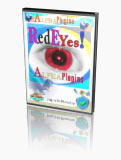
Red Eye plug-in  RedEyes

Alpha Strip plug-in  AlphaStrip

Ice Pattern plug-in  IcePattern

Water plug-in  Water

Ornament plug-in  Ornament

Alpha Star plug-in  AlphaStar

Alpha PhotoFX plug-in  AlphaPhotoFX

Fir Tree plug-in  FirTree

Lens ProIII plug-in  LensProIII

Digitalizer plug-in  Digitalizer
Photoshop CS plug-insPremiere CS plug-ins

Adobe Photoshop FiltersPhotoshop CS3 Filters After Effects CS4 plug
Recommend
MachineWashDeluxe plug-in for Photoshop
Permanent Press plug-in for Photoshop
Photoshop CS plug-insPremiere CS plug-ins
Adobe Photoshop FiltersPhotoshop CS3 Filters After Effects CS4 plug
AlphaPlugins RedEyes v.1.0

AlphaPlugins RedEYes

AlphaPlugins RedEyes FREE plug-in for Photoshop

AlphaPlugins RedEYes for Adobe Photoshop removes the red eye effect often caused by a flash camera. It employs an easy-to-use semi-automatic algorithm that quickly and economically eliminates the problem. Best of all, AlphaPlugins RedEYes is also absolutely FREE!

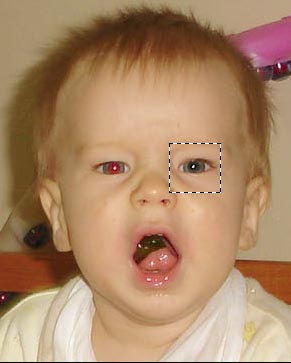
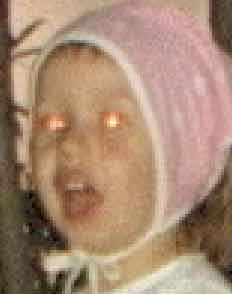
Sampel of AlphaPlugins RedEyes usage

RedEYes removes the red eye effect from pictures of people taken with a flash camera. Photos that are ruined when they are shot with a flash can be easily repaired and significantly improved.

RedEYes has an intelligent built-in semi-automatic algorithm that gently corrects the red eye effect and adjusts the photographic quality of the human eye to appear naturally.

RedEYes is FREE filter is a simple, easy-to-use product to correct your flash photographs.

It is very simple to use our plug-in.

Simply, download and manually install Red Eye inside your Photoshop Plug-ins folder. Launch Photoshop and you'll find it under the Filters menu inside the AlphaPlugins folder.

Before using the filter, select an area in your image around the red eye effect that you want to eliminate. Then, launch the RedEye filter from the Filters/AlphaPlugins menu.

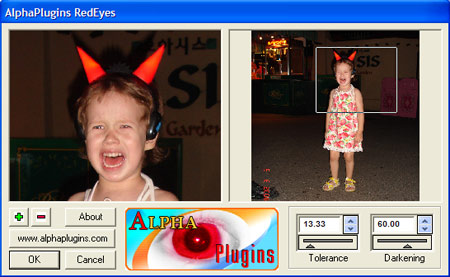
AlphaPlugins RedEyes dialog window

After the filter dialog window launches, you can adjust the controls that will accurately remove the red eye effect. Pictures snapped by different cameras can differ in photo quality. In order to accurately remove red eye, there are only two controls that you require adjustment.

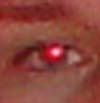
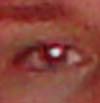
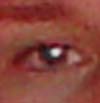
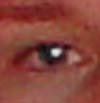
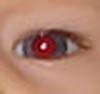
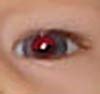
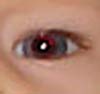
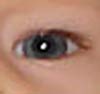
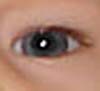
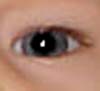
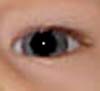
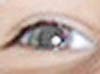
Tolerance - Alters the algorithm sensitivity and size of area to be processed. The following series of photographs shows how these measurements will affect the removal of red eye.

Sample of Tolerance Sample of Tolerance Sample of Tolerance Sample of Tolerance

Darkening - Enables you to lighten or darken the eyeballs. This feature helps make the eyes more expressive. The following illustration shows how this adjustment influences your photo.

Sample of Darkening Sample of Darkening Sample of Darkening Sample of Darkening

Algorithm limitations.

RedEYes filter works well with good quality photographs. However, if the photo image is poor, the algorithm limitations may not allow it to recognize the problem.

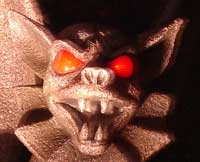
RedEYes plug-in effectively eliminates the problem from photographs of people. But, for photos of animals, fairies or make believe characters, the filter may not work properly.

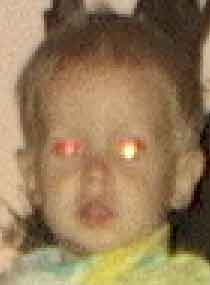
Samples of defective photographs
Sample of Defected picture
Samples of defective photographs

RedEYes is a free, easy-to-use plug-in for Adobe Photoshop and compatibles. It can easily remove the red eye effect from pictures of people and can be of valuable assistance to you in your work.

Photoshop CS FiltersAfter Effects CS3 plug
Product icon box

Product Info
Version: v.1.0
Price: Free!
Photoshop CS4 FiltersAfter Effects CS3 Filters

RedSoft 5-stars award5 stars award from MaxxDownload
BlueChilles
FileDudes 5 star BestVistaDownloads
Rated by 5 points award on download ready DoDownload5 stars award from rbytes.net Free AlphaPlugins RedEyes download Safety sertificate
Photoshop CS plug-insPremiere CS plug-ins

Adobe Photoshop FiltersPhotoshop CS3 Filters After Effects CS4 plug
Available versions
  Release Size  Free!
 Windows Version   v.1.1  2008/03/16   590 Kb   download softwareFree software

Photoshop CS4 FiltersAfter Effects CS3 Filters
Adobe Photoshop FiltersPhotoshop CS3 Filters After Effects CS4 plug
Latest News

2010.01.14 -
Curtains for After Effects CS3
Mac and Win versions of Curtains plug-in for AE.

See details See details

2010.01.03 -
Some Win CS3 plug-ins changing
Several our Windows plug-ins have been refreshed.

See details See details

2010.01.01 -
Some Mac products were changed
Several our Mac plug-ins were slightly changed.

See details See details

Subscribe
You can subscribe to our newsletter. more...

Input your email:


Photoshop CS plug-insPremiere CS plug-ins

Adobe Photoshop FiltersPhotoshop CS3 Filters After Effects CS4 plug
Tutorials

AlphaStar tutorialDynamic Sparks on raster text perimeter
Ice Pattern tutorialGrow frost plants along any contours!
Ice Pattern tutorialCreate ice pattern along selection!
Fire tutorialFire combustion effect
Curtains tutorialCreate Dynamical Curtains
AlphaStrip tutorialStylishportrait by AlphaStrip

Photoshop CS plug-insPremiere CS plug-ins

Adobe Photoshop FiltersPhotoshop CS3 Filters After Effects CS4 plug
Specials
Action!
Complete the survey and get a coupon for a big discount!  Fill out the form 


NAPP discount
Use your NAPP member benefit! Special 

DVPA discounts
Price advantages for DVPA members. Special 
Photoshop CS plug-insPremiere CS plug-ins
Copyright © 2010 AlphaPlugins. All rights reserved.| Contact us | Photoshop Plug-Ins| After Effects Plug-Ins| Friend's software| About us